Showing posts with label Google Information. Show all posts

Thursday, September 27, 2012

Top 10 facts on Google 14th Birthday in 2012

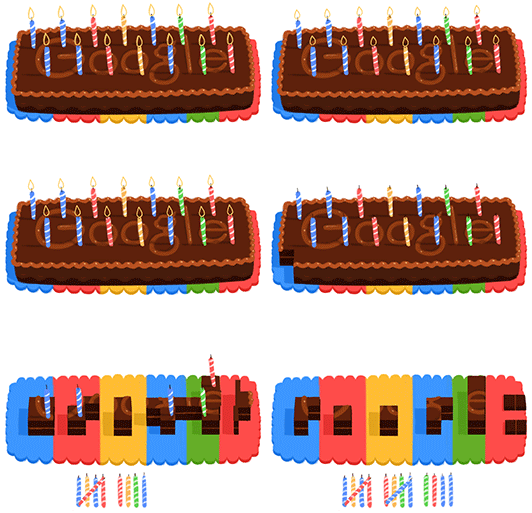
Wishing very happy birthday to Google .

It's the 14th birthday celebration for Google this year. Google is facing so many challenges to retain its values and add new as well. Here are few facts for Google that they have to fight against or for better search engine experiences.

1. Orkut is dying almost specially after Facebook popularity globally.
2. Google plus is unable to challenge Facebook as expected.
3. Recent Panda updates, Caffeine update, Penguin update and other algorithm updates been very stressful for Google. Visit here Google panda updates in 2011
4. Google can too commit genuine mistakes like this in past days.
5. It was not fresh update in Google SERPs as they always promise for better user experiences.
6. Removing artificial and unnatural links given in the Google webmaster tools is not much helpful for people but very much helpful for Google. It was a hugely discussed topic among internet communities in last few months since after google penguin update started.
7. Disavow tool from Bing is a creative change that could be challenging for Google search in future. SEO communities like it and support it a lot.
8. Google have been able to remove scrapped content from SERPs for various industries searches online.
9. Google Android mobile/tablet application is gaining huge success specially in India, with Google Play store to download various mobile applications.
10. Recent changes from Google been very challenging. Expecting Google be on their world "Don't be Evit".

You will like to see this creative post on Google 13th birthday last year.

Thanks, please share your thoughts in comments.

Deepak Rajput

Saturday, August 21, 2010

How to Make Money From The Google Wonder Wheel

Here are some possible and interesting ways in which you can make money by using the google wonder wheel:

1. Webmaster – Make money by discovering related keywords you wish to target while focusing on your niche. The easiest is to choose your niche and to stay focused on a main keyword which usually gets a lot of hits from the search engine, however there are other keywords from which you can gain more traffic and convert more visitors to cash – traffic = money and don’t you forget it.

2. User – Save time by exploring relevant results related to the original keyword you search for. Whether it’s for a research you are doing, a term paper or just about anything else consuming your time (time is money in case you forgot/didn’t know), Google wonder wheel can tell you what you are missing or need to search and save you that precious research time.

3. Advertiser – Make money with the google wonder wheel by discovering what’s hot and related to your product or the product you advertise. Advertising cost more when it’s directly related to the product. However, if you find other relevant products or products using this tool you can save money on advertising and make money from related products.

4. Manager – Mind Mapping takes time and cost money. Save some time and money and make yourself and your company money by using the Google Wonder wheel for data mining on ongoing projects.

Source: the Google Wonder Wheel is completely free

Google Wonder Wheel – the online search tour with Google

Google Wonder Wheel by Google, this is really amazing. Just search for a single term and see the relevant nodes as per Google indexed database. This is really amazing. Google shows relevant terms in the wonder wheel format according to your search query. Just click on any one of them and you will be taken to the next layer for the wheel. The wheel keeps moving following your choices. It will keep moving and you can see the results in the WWRPs (Wonder Wheel Results Pages).

The main objective of Wonder Wheel is to simplifying and arranging search results globally. It shows related search terms to the current searched query and thus enable you to explore relevant search terms which might be the ones you originally wanted to search for, or simply give you more options to gain more information.

For one simple thing you don’t need to put many efforts to remind the last term or the very first term you used to find the answer of your query. See the snapshot of WWRPs when you search for a query like “USA”


View the step by step installation of Google Wonder wheel here

(http://www.googlewonderwheel.com/google-wonder-wheel-step-by-step))
It the wonderful implementation where Google will guide the searchers either by color or last related searches to the paid link or paid results.

Saturday, January 30, 2010

Canonicalization - URL preferences for Google

Google engineer, Matt Cutts, discussed about URL canonicalization in his post long time back. He explained about how URL canonicalization is helpful for Google to pick a preferred URL based on keyword research.

So what is URL canonicalization?
URL canonicalization is one of the Google technique that allows you to publicly specify your preferred version of a URL. A web server could return completely different content for different URLs. When Google “canonicalizes” a url, it pick the url that seems like the best representative from that set. Setting a Canonical URL will help Google to decide which URL to be canonicalized for aparticular set of pages. like if you set "www.canonicalizedurl.com" then Google will canonicalize this URL among "www.canonicalizedurl.com" ,"canonicalizedurl.com" , "www.canonicalizedurl.com/index.html", "www.canonicalizedurl.com/home.aspx", "www.canonicalizedurl.com/default.php"

How Canonical URLs works?
It helps Google to find the most priority page when calculating the most relevant page to display in search results.

Even Google using Canonical URLs
see here
http://www.google.com/trends

How to Add Canonical URL in your site?
Use the following code inside the section to set preferred URL for your website pages:
link rel="canonical" href="http://www.example.com/product.php?item=swedish-fish"

You can also use a relative path to specify the canonical, such as ?
According to Google "relative paths are recognized as expected with the tag. Also, if you include a link in your document, relative paths will resolve according to the base URL."

Google Tips and Advices for Canonical URL
http://googlewebmastercentral.blogspot.com/2009/02/specify-your-canonical.html

The Followers
1)Should we use the Canonical URL with http:// or without it. Google is using it without http:// in
Google Trends while they have advised to use it with http:// ... Technically both the URLs are different from canonical URL perspectives and are considered seperately.

2)It show some 404 pages if you apply it without http://
It generate 404 pages that are nowhere in the site (e.g.)
http://www.example.com/Main/www.example.com/Main/
http://www.example.com/Main/ABC/www.example.com/Main/ABC/

It seems such pages are generating with the logic of URL in address bar+canonical URL. In the example http://www.example.com/Main/ is browsed page URL and www.example.com/Main/ is canonical URL in browsed page.

Probably this could be resolved using http:// with canonical URL.

Please let me know your feedback on this.

Thanks. Deepak Rajput !!

Saturday, October 31, 2009

Google Update October 2009

Well the PR Toolbar update is here for sure. It has major impacts on webpages where RPL/link exchange is being done. But some minor impacts on the domain page PR.

Apart from this there are changes like a 3 PR ranking sites is showing PR0 now. One thing that I come to know is that google has given more weight to webpages updating frequently. But yes the change should be relevant. Not spamming or unethical activity.

Although it has minor changes in Google SERPs but it will reflect soon in coming months. Google do not do anything irrelevant or valueless. They will use it somehow for better results.

I'll try to post other interesting information on this soon.

Monday, August 31, 2009

Google Top tools list for website data tracking and analysis

Google Analytics for Traffic Analysis
Google Webmasters for website tracking
Google Alerts for setting keywords alerts
Ping a New blog in google to be crawled by google
Google Froogle - google products listing
Google Diagnostics - to check how a website is harmful for your readers
Google Adwords - for advertisement in Google search and content network. (paid)
Google Adwords keywords too - to get idea about keywords performance in a month.
Google Suggests - for Google keywords suggestions.
Google Toolbar - to track the PR of a website and other stuff as per google and your setting.
Google Trend - for checking the keywords trend and a rough idea about competitors website traffic.

These are few of the top tools provided by google for free. You will see some more interesting stuff about google and other search engines in my coming posts.

Popular Posts

Twitter / deepakrajput